NoteCheck is in development. Features and details on this page may change before release.
What is NoteCheck
Capture something once, and get it back when it matters.
NoteCheck is a calm place to put the things you must not forget, and a reminder system that actually brings them back. Write a note in one tap; add a checklist, a reminder, a due date or a tag only if you need one. Today shows what needs you now and what is coming next.
A note is the only real object. Reminders, checklists, tags, due dates and resurfacing all hang off a note, so nothing is ever kept in two places. There is no project-management tool to learn, no subscription and no account.
Everything is stored on the device: no account, no sign-in, no server. The codebase forbids network calls — a lint rule enforces it — so note contents cannot leave the phone. Export a readable JSON backup whenever you like, and import it on another device.
For the things that matter more than a note, there is an encrypted vault: passwords, PINs and recovery codes sealed with a passphrase only you know, and never shown in search, notifications or backups.
Features
Everything you need to write it down and be reminded reliably — and nothing that phones home.
-
✎
Capture and notes
A new note opens straight into typing and saves as you type. Optional title, a per-note icon from 16 choices, light text styles, checklists you can tick without entering edit mode, tags, pinning, archive and a recycle bin with restore.
-
◷
Reminders that keep their promise
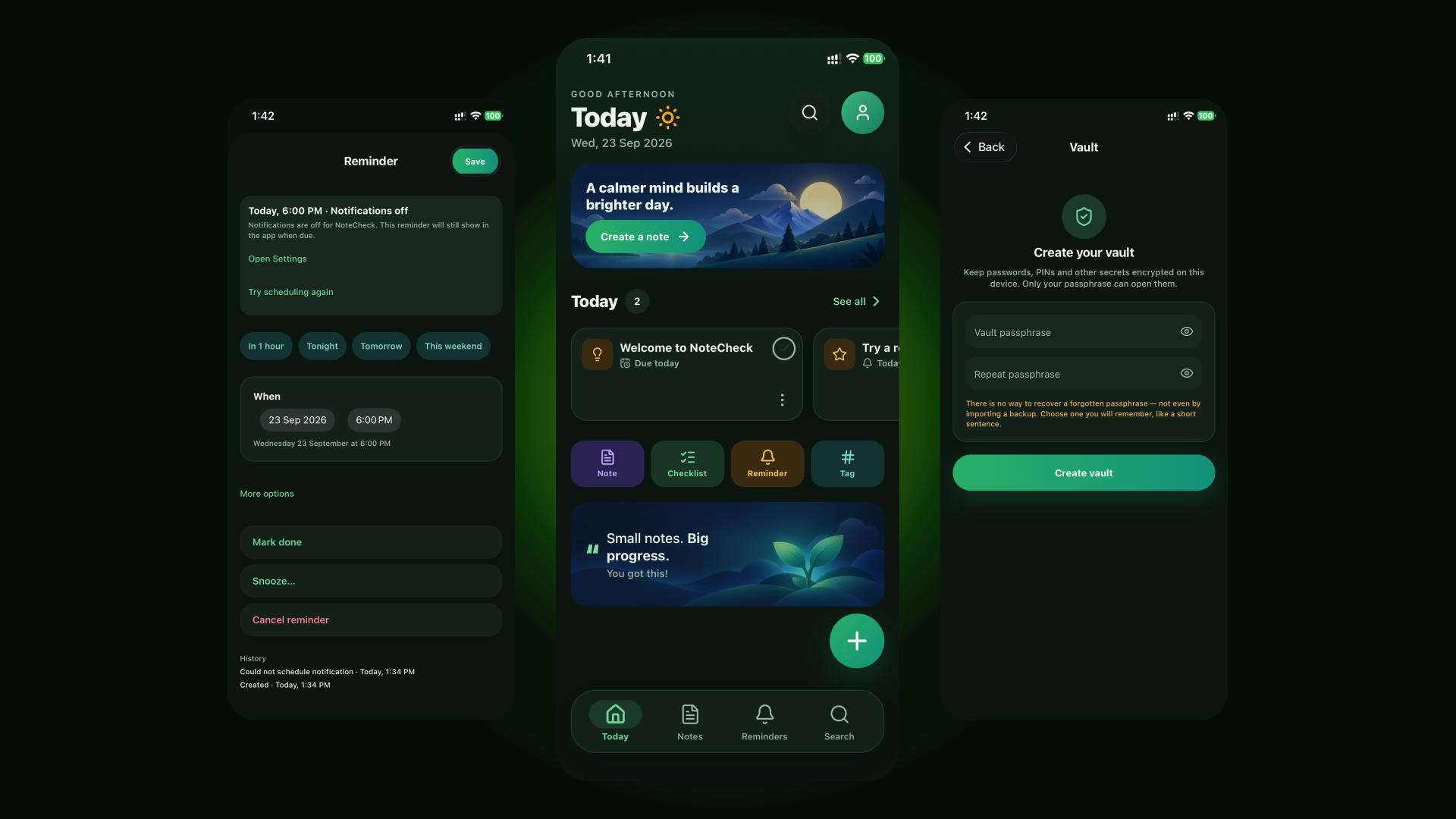
Any number per note, each with its own time. Quick times or an exact date, snooze presets with history, and repeats: daily, weekdays, weekly, monthly, yearly, a custom interval, or a chosen time after you finish. Fixed times survive daylight saving and timezone moves.
Gentle · Normal · Persistent -
▤
Today
One screen: a Today row for overdue items, due notes, today's reminders and resurfaced notes, plus an Upcoming row, quick actions and a quote card. Both rows page sideways, so nothing needs scrolling. High-priority items lead the list.
-
⚿
A secure vault
Passwords, PINs and recovery codes encrypted with AES-256-GCM, the key derived from your passphrase with scrypt and held only in memory while unlocked. Locks when the app leaves the foreground. Optional fingerprint or Face ID unlock, with the key kept in secure hardware and never in a backup.
Never in search, notifications or backups -
⌕
Search and tags
Offline search across titles, note text, checklist items and tags, accent- and case-insensitive, with tag chips to narrow the results. Notes filter by All, Planned, Done and Vault.
-
⇅
Your data stays yours
No account, no server, no analytics, no advertising, no tracking. Export a readable JSON backup and share it anywhere; import only ever adds data, never changes or deletes what is already there, and a failed import rolls back completely.
How it works
Up and running in 3 steps
Write it down
Tap once and start typing — the note saves as you go. Add a checklist, a tag or a due date only if you need one.
Add a reminder
Pick a quick time or an exact one, choose
gentle,normalorpersistentfollow-ups, and set it to repeat if it should come back.Get it back
Today shows what needs you now and what is coming next. Answer from the notification with
DoneorSnooze, or let quiet hours hold follow-ups overnight.
Screenshots
Take a look at NoteCheck
-
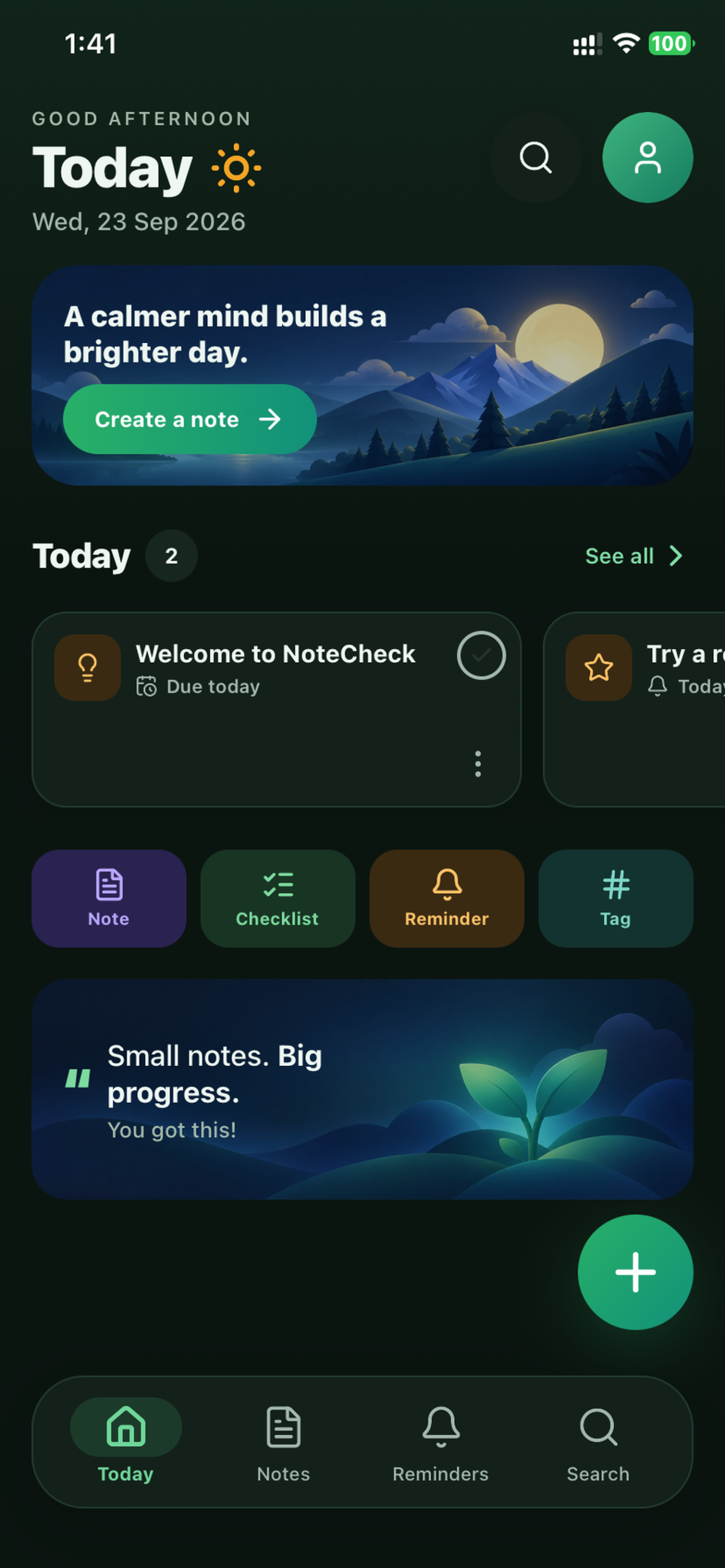
TodayWhat needs you now, and what is coming next
-
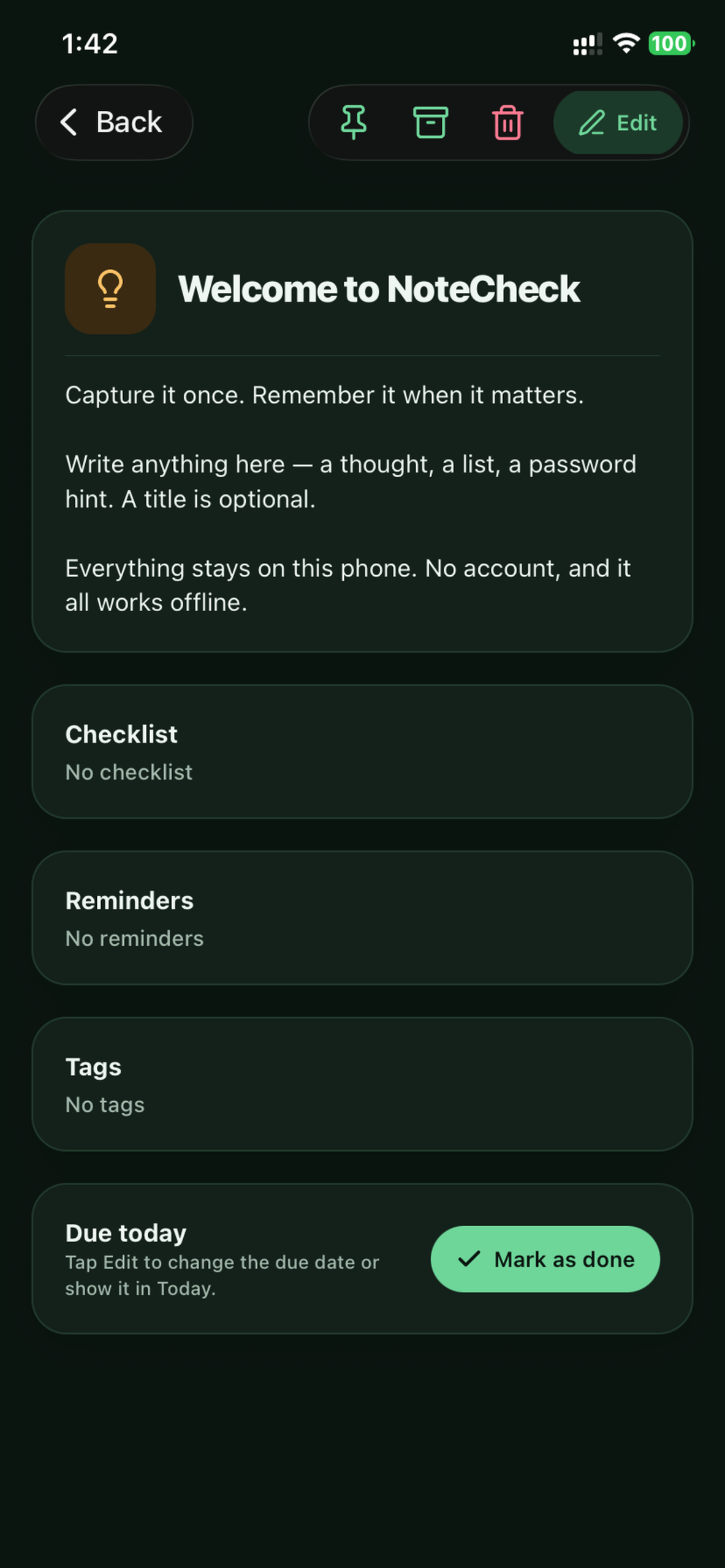
Note EditorSaves as you type, with light text styles
-
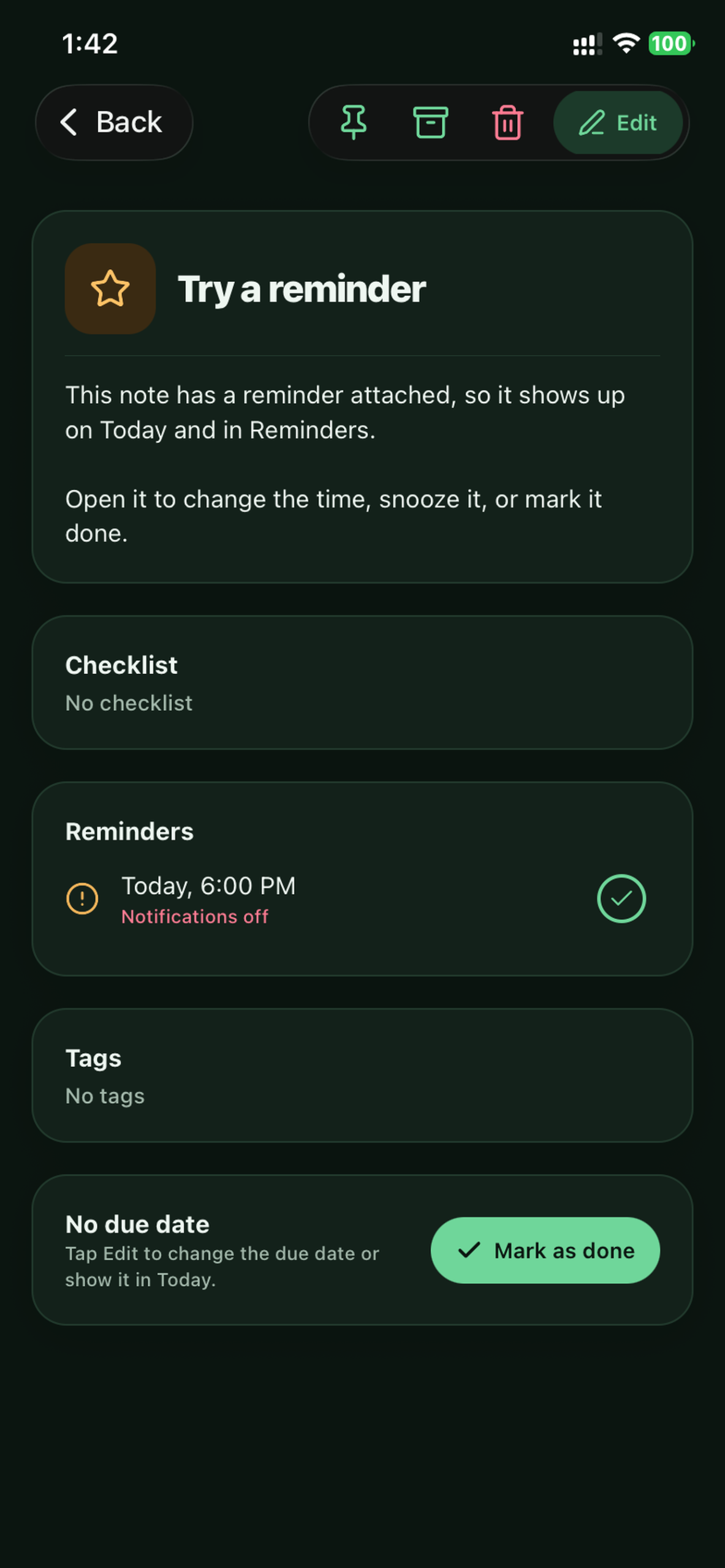
Note + ReminderReminders hang off the note, never apart from it
-
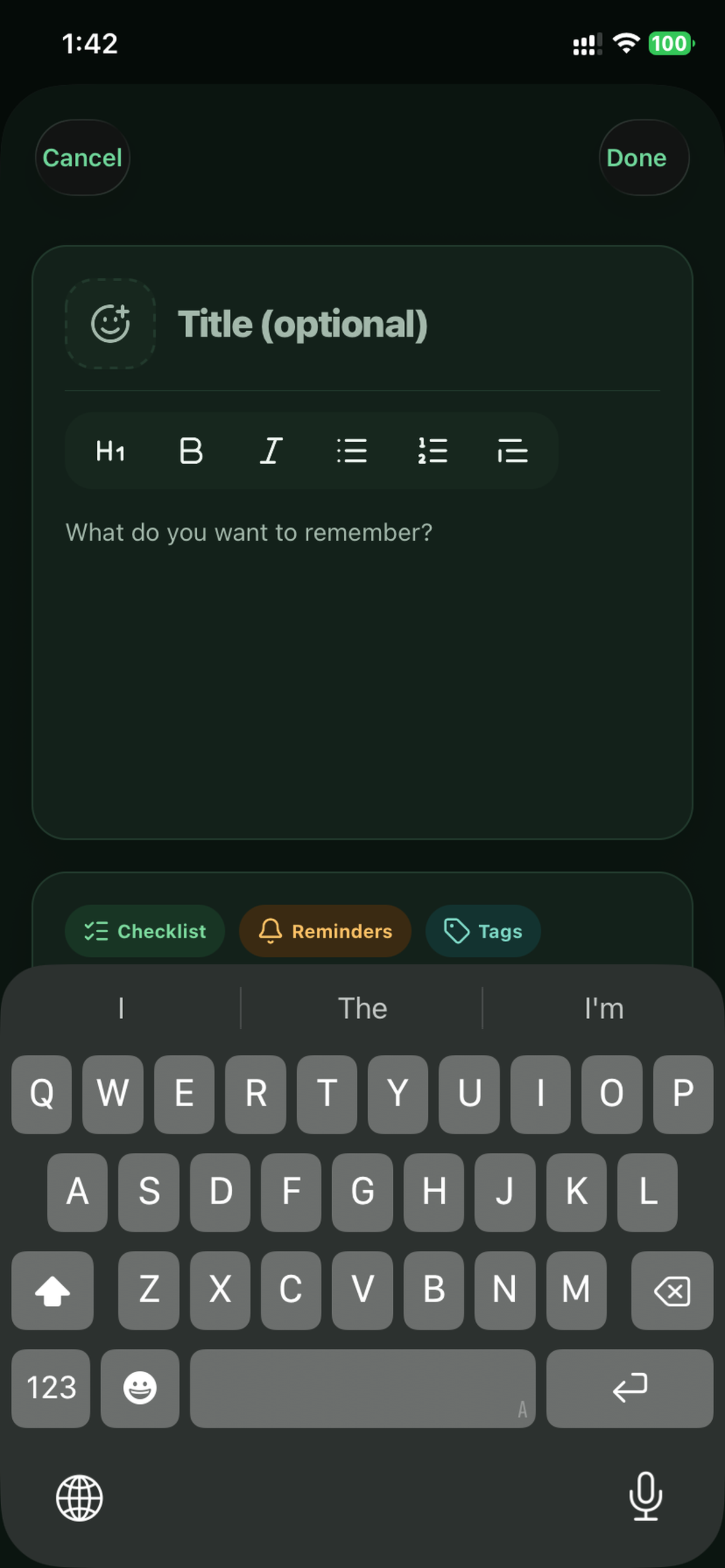
Quick CaptureOne tap, straight into typing
-
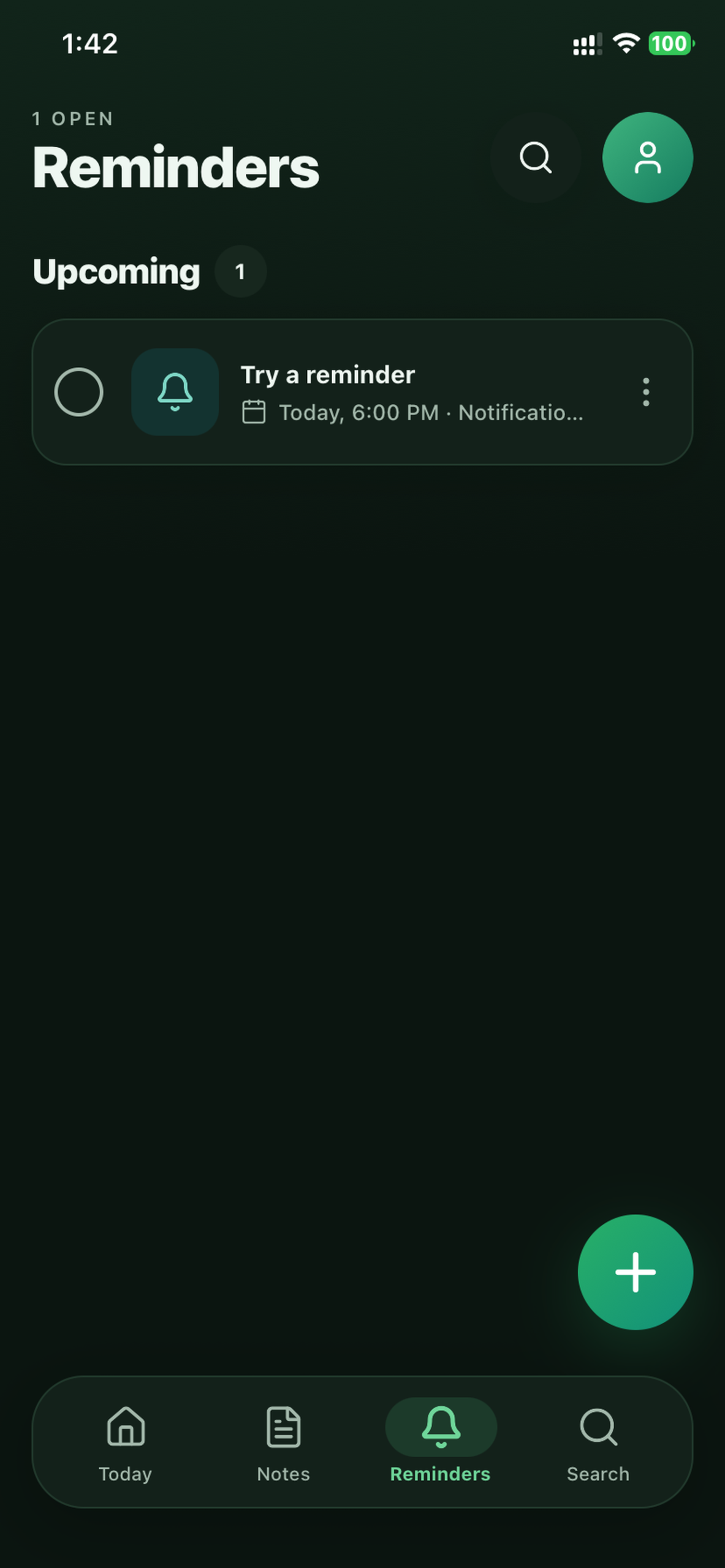
RemindersEvery reminder across every note
-
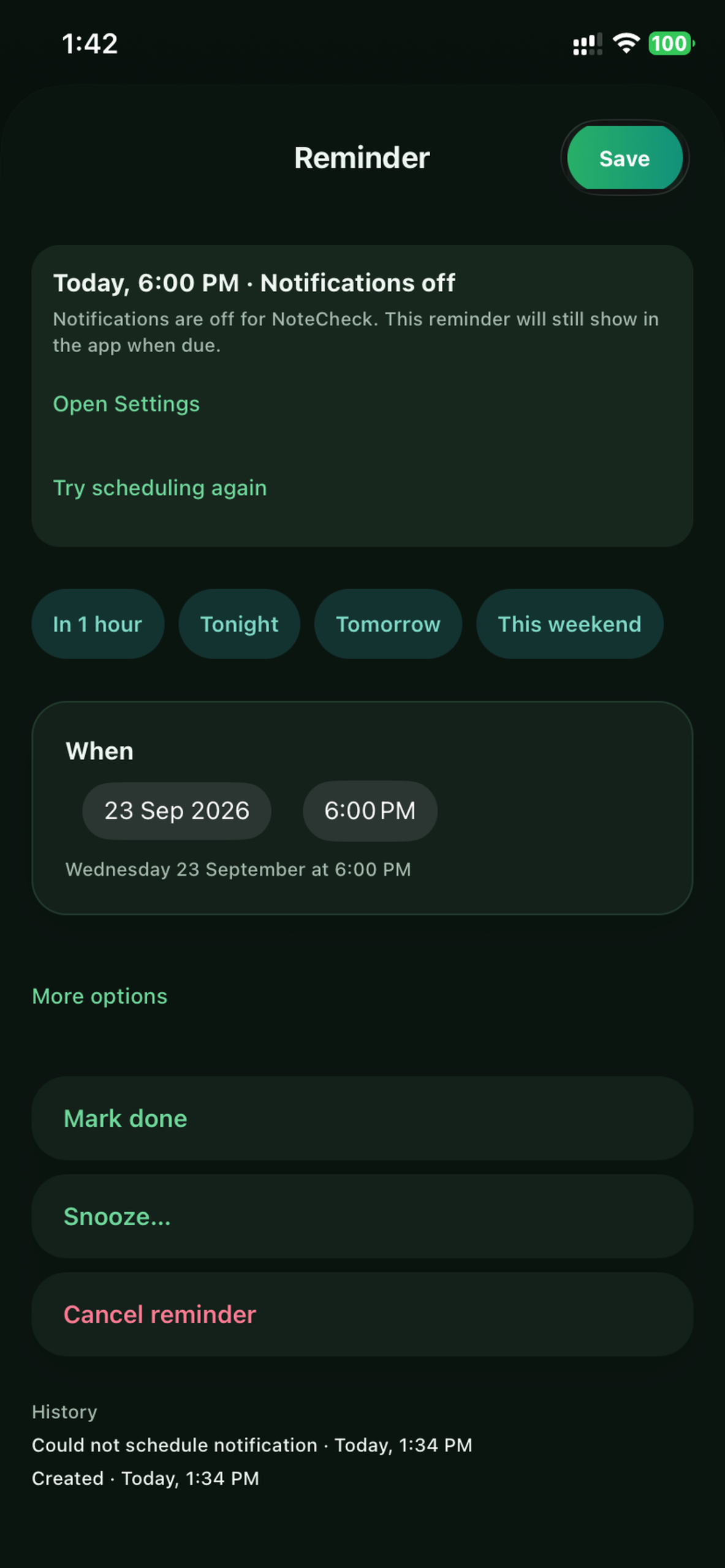
Reminder DetailSnooze, repeat, priority and full history
-
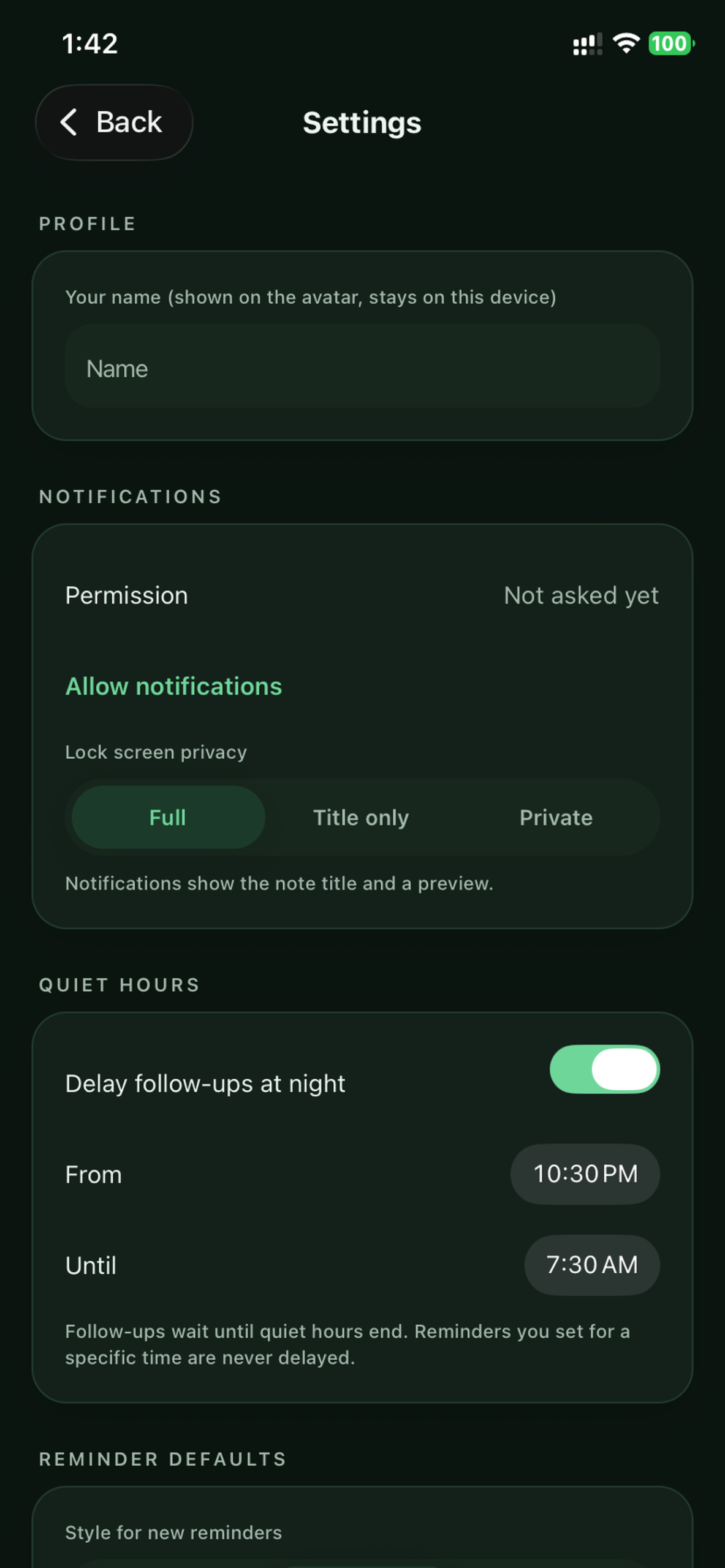
SettingsQuiet hours, lock-screen privacy, export and import
-
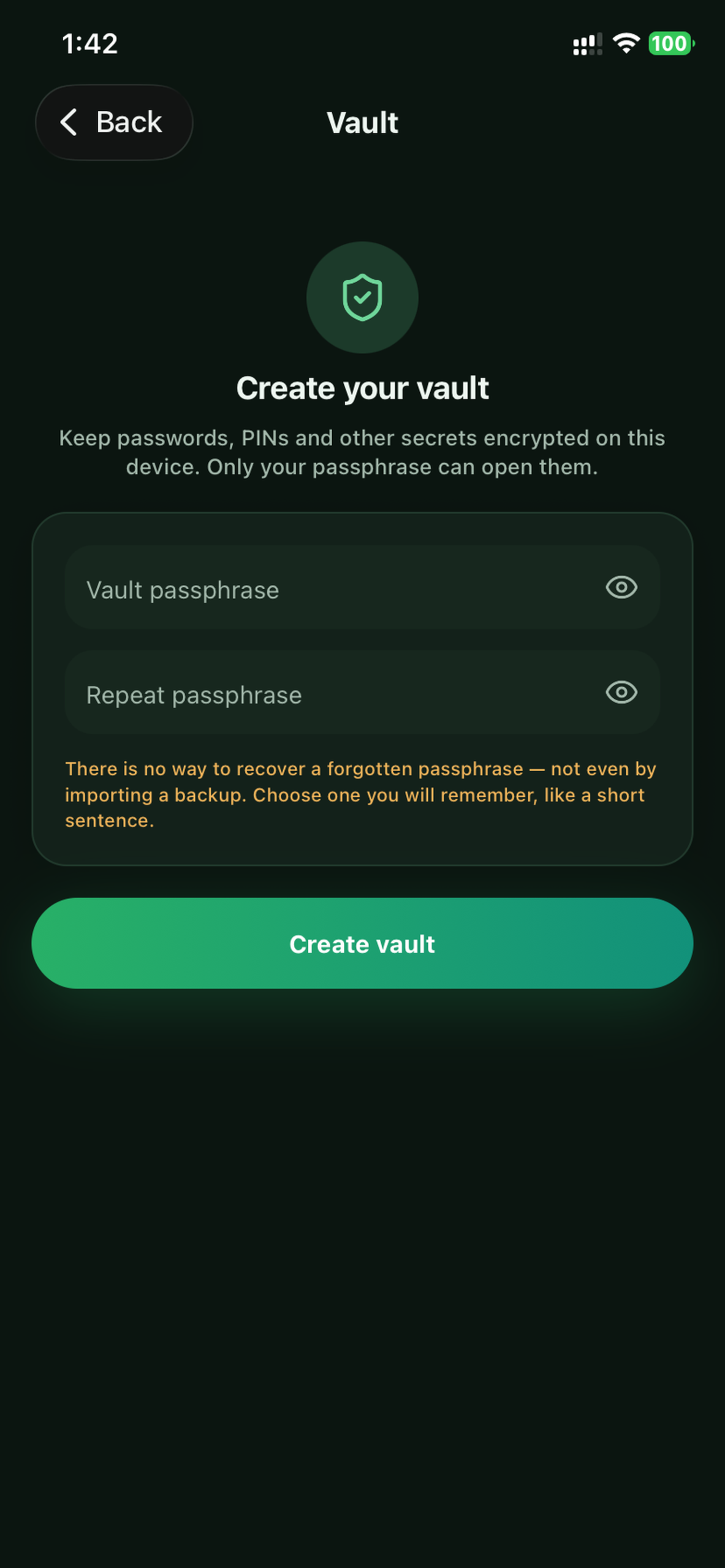
Secure VaultEncrypted with a passphrase only you know
Notecheck is coming soon
Notes that remember. Private by design, on your device.
Keep exploring